Backblaze vs IDrive: Which Cloud Backup Is Best in 2026?
Backblaze offers simple unlimited backup for one computer; IDrive protects multiple devices with a shared allowance. See which model fits you.

Backblaze is the better choice for simple, unlimited backup of one Windows PC or Mac. IDrive is better for households and individuals who need to protect several computers and mobile devices under one shared storage allowance. Both are capable cloud-backup services, but their pricing models solve different problems.
Backblaze charges per computer and removes the normal storage quota. IDrive sells a shared pool—commonly 5TB or 10TB on Personal plans—that can cover multiple devices. That single distinction determines the winner for most buyers.
Backblaze vs IDrive: quick verdict
| Category | Backblaze | IDrive |
|---|---|---|
| Best for | One main computer with a large amount of data | Several computers and phones sharing one allowance |
| Storage model | Unlimited per licensed computer | Shared capacity, normally 5TB or 10TB on Personal plans |
| Computers | One per licence | Multiple computers within the account allowance |
| Mobile devices | Mobile access to backed-up files; not a general phone-backup replacement | Mobile apps and supported mobile-data backup features |
| Version history | 30 days by default; one year can be enabled free | Retains previous file versions subject to IDrive’s current policy and account limits |
| Local backup | Cloud-focused computer backup | Cloud and local destinations supported |
| Ease of use | Excellent set-and-forget design | More controls, but more setup decisions |
| Our winner | Best for one computer | Best overall for multiple devices |
The main difference
Backblaze licenses each computer separately. One licence gives that computer unlimited backup storage, subject to the service’s exclusions and terms. This is attractive for a desktop containing several terabytes because the price does not rise with the backed-up data.
IDrive works more like a household storage pool. A Personal subscription can protect multiple PCs, Macs and supported mobile devices, but all of them consume the same allowance. This is normally better value when your data is spread across several modestly sized devices. It is less attractive if one computer alone will exceed the plan capacity.
Pricing compared
Backblaze lists Personal Backup at $9 monthly, $99 annually or $189 for two years. All three billing options protect one computer with unlimited backup storage. Adding a second computer requires another licence.
IDrive’s standard Personal pricing is capacity-based. Its official material lists the 5TB Personal plan at $99.50 per year, although introductory discounts are frequently displayed. Because promotions and renewal prices can differ substantially, compare the normal renewal figure rather than choosing solely on the first-year headline.
| Example requirement | Likely better value | Why |
|---|---|---|
| One computer with 6TB | Backblaze | Unlimited storage avoids a capacity upgrade |
| Three computers totalling 2TB | IDrive | One shared plan can cover all three |
| One laptop with 500GB | Backblaze or IDrive | Choose based on workflow and renewal price |
| Family devices plus phone data | IDrive | Broader multi-device design |
Setup and everyday use
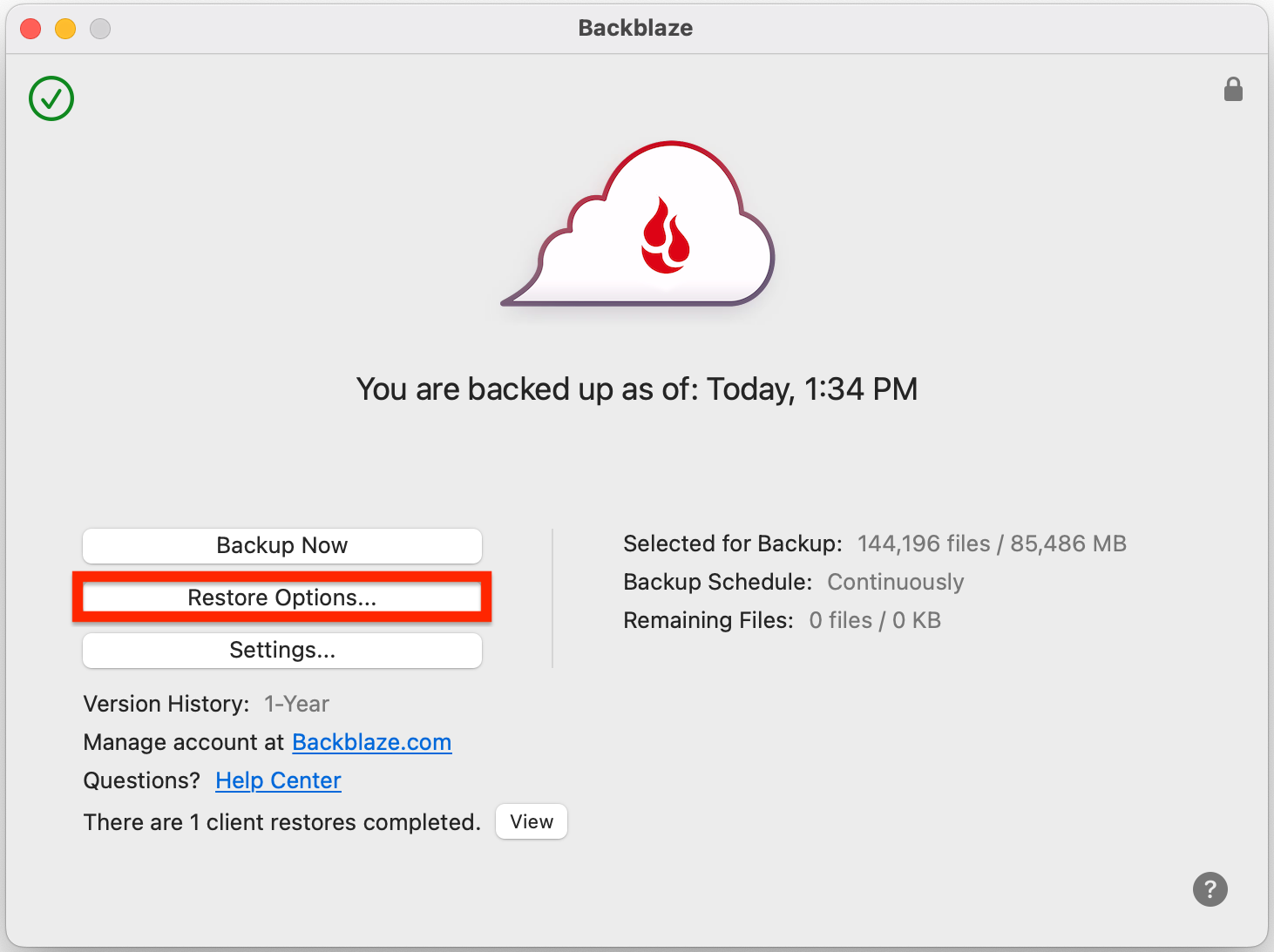
Backblaze is deliberately simple. After installation it selects common user data automatically and runs in the background. That reduces the chance that a new user will forget an important folder, although advanced users may find the exclusion-led approach less precise than manually selecting every item.
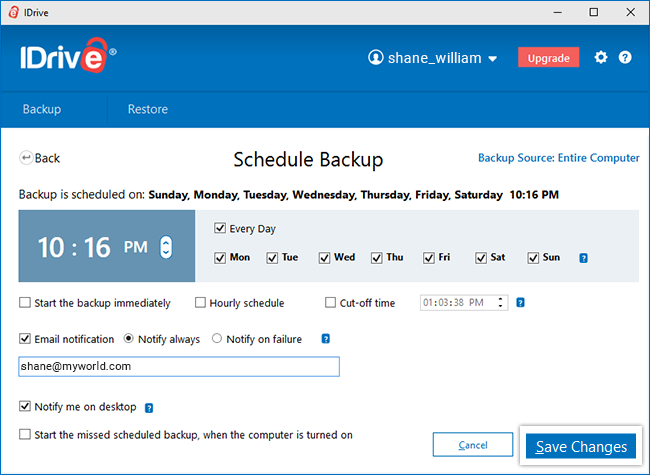
IDrive provides more configuration. Users can select backup sets, schedules, local destinations and additional features. This flexibility is useful when different devices need different policies, but the interface asks more of the owner. A backup plan is only effective when somebody checks that the right folders are included, so simplicity can be a genuine security advantage.
Backup coverage and limits
Backblaze protects user-generated files from a licensed Windows or macOS computer and connected external drives, provided those drives meet the service’s connection requirements. It is not designed as a server, NAS or whole-system imaging product.
IDrive can cover multiple computers and supports a broader range of backup jobs, including local backup. Business plans extend into servers and NAS workloads. Personal users must watch the storage meter: backups and other account features can consume capacity, and overuse charges may apply under the current terms.
Version history and deleted files
Backblaze keeps deleted and changed files for 30 days by default. One Year Extended Version History can be enabled without an additional subscription charge, while Forever Version History carries usage-based charges for data retained beyond one year.
IDrive retains previous versions using its own versioning policy. The practical difference is that IDrive’s retained data operates within a capacity-based account, whereas Backblaze’s standard computer backup is unlimited. In either service, confirm retention before an incident and test recovery of an older file.
Restore options
Both services allow browser-based file recovery. Backblaze prepares downloadable restore archives and also offers physical-media restore options under current service terms. This can matter when recovering several terabytes over a slow connection.
IDrive supports online restore and promotes IDrive Express for transferring large backup or recovery sets using shipped storage media, subject to plan eligibility and geographic availability. IDrive’s combination of local backup and cloud recovery provides more possible routes, while Backblaze keeps the ordinary workflow simpler.
Security
Both providers encrypt data and support account-security controls. Users should enable multi-factor authentication, keep recovery information current and understand the trade-off around private encryption keys. A key known only to the customer can improve privacy, but losing it can make recovery impossible.
Neither service should be treated as the only copy of irreplaceable data. A local backup gives faster recovery, while the cloud copy protects against theft, fire and local hardware loss.
Which should you choose?
Choose Backblaze if:
- you are protecting one main Windows PC or Mac;
- the computer contains several terabytes;
- you prefer automatic, low-maintenance backup;
- you do not need local backup or complex device management.
Choose IDrive if:
- you have several computers or family devices;
- their combined data fits comfortably inside the allowance;
- you want local and cloud backup controlled from one service;
- you prefer detailed scheduling and selection controls.
Final verdict
Backblaze wins for one computer; IDrive wins for several devices. A single high-capacity workstation benefits from Backblaze’s unlimited model and simpler operation. A household with two or three computers usually gets a more efficient subscription shape from IDrive.
Read our complete Backblaze review and IDrive review for the full limitations, restore details and category scores. You can also compare them with the other services in our best cloud backup services guide.
Compare your options
Read our IDrive review Check IDrive pricing ↗
Frequently asked questions
Is IDrive cheaper than Backblaze?
For several computers, it often is because one IDrive allowance covers multiple devices. For one computer with more data than the IDrive allowance, Backblaze’s unlimited plan can be better value.
Does Backblaze back up multiple computers?
Yes, but each computer needs its own licence. The unlimited allowance is attached to the licensed computer rather than shared across an account.
Can IDrive back up an external hard drive?
IDrive supports external-drive backup on compatible desktop systems. The drive must be included in the backup set and should be reconnected regularly.
Which is easier to use?
Backblaze is easier for most beginners because it makes more decisions automatically. IDrive offers more control and therefore takes longer to configure properly.
Sources
Pricing and product details checked 23 September 2026. Promotional prices and plan features can change. Some links are affiliate links; we may earn a commission at no extra cost to you.