IDrive vs pCloud: Which Is Better for Backup in 2026?
IDrive is stronger for multi-device backup, while pCloud excels at storage, syncing and lifetime plans. Compare features, pricing, privacy and recovery.
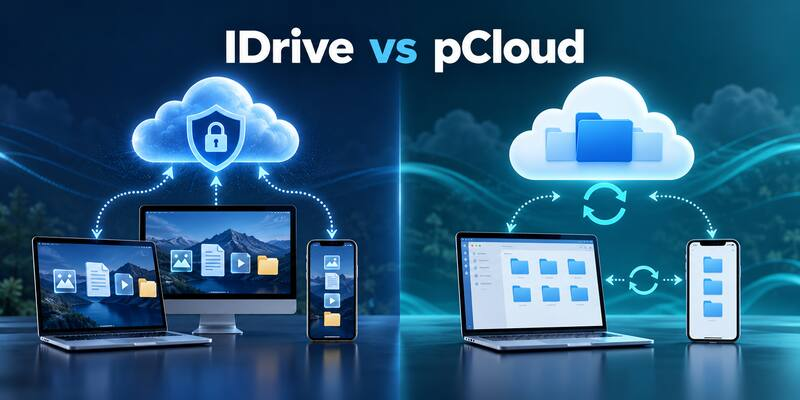
IDrive is the stronger choice for traditional backup across several computers and mobile devices. pCloud is the better fit when cloud storage, syncing, sharing and lifetime-payment options matter more than complete backup depth.
IDrive and pCloud both protect files online, but they solve different problems. IDrive is built primarily as a backup service: it schedules copies from multiple devices, retains previous versions and supports local backup and large-data recovery. pCloud is primarily a cloud-storage platform that also provides folder backup, synchronisation, sharing and file-history tools.
Comparison basis: This independent comparison uses the providers’ current published plans, documentation, security information and recovery features. We have not invented speed-test or hands-on restore claims. Details were checked on 20 October 2026.
Affiliate disclosure: We may earn a commission if you purchase through marked links, at no extra cost to you. Affiliate relationships do not determine our conclusions or recommendations.
IDrive vs pCloud: quick verdict
| Category | IDrive | pCloud |
|---|---|---|
| Best for | Backing up several computers and mobile devices | Cloud storage, syncing, sharing and selected-folder backup |
| Primary purpose | Traditional online backup | Cloud storage and file access |
| Storage model | Large shared backup allowances, including multi-terabyte Personal plans | Free, subscription and Lifetime storage plans |
| Computer coverage | Multiple computers under one Personal account | Selected folders can be backed up from supported computers |
| Local backup | Supported within the backup application | Not the central proposition |
| File synchronisation | Cloud Drive sync is included alongside backup | A core strength across desktop, mobile and web |
| Version history | Up to 30 previous versions for most current accounts | Revisions, Trash and Rewind; paid personal plans generally include up to 30 days |
| Private encryption | Optional user-defined private key for backup data | Optional pCloud Encryption protects files placed in the Crypto Folder |
| Lifetime option | No | Yes |
| Overall winner | Best for dependable multi-device backup | Best for everyday cloud storage and lifetime value |
The most important difference
The deciding question is whether you need a backup service or a cloud-storage workspace with backup features.
IDrive is designed to protect data from computers and supported mobile devices. It offers scheduled backup sets, local backup, snapshots, previous versions, entire-machine tools on supported platforms and IDrive Express physical-drive transfers. It expects users to think about recovery after deletion, hardware failure, corruption or ransomware.
pCloud is designed to keep files accessible across devices. Its virtual drive, synchronisation, sharing and media features are central to the experience. pCloud Backup can automatically copy selected computer folders and keep them updated, while Revisions, Trash and Rewind help recover earlier states. It is useful protection, but it is not the same as a full-system backup platform.
Plans and pricing compared
IDrive Personal uses a recurring capacity-based subscription. Its current range includes a free Basic allowance and paid multi-terabyte plans. The 5TB Personal plan has a published standard price around $99.50 per year, although substantial first-year promotions are common. Larger tiers are available, and customers should check renewal pricing and potential storage-overage charges before subscribing.
pCloud offers free storage, recurring monthly or annual subscriptions and Lifetime plans purchased with a single payment. Personal plans commonly include 500GB and 2TB choices, with larger options or promotions sometimes available. Optional services such as pCloud Encryption or Extended File History can increase the total cost.
| Pricing requirement | Better fit | Why |
|---|---|---|
| Large allowance shared by several computers | IDrive | Its Personal plans are structured around multi-device backup |
| Avoiding another annual subscription | pCloud | Lifetime plans provide a one-payment alternative |
| Trying the service for free | Either | Both provide limited free options |
| Storage plus sharing and daily file access | pCloud | Cloud-drive and sharing features are central to the product |
| Backup plus a fast local recovery copy | IDrive | Local and cloud backup can be configured together |
Do not compare only the introductory checkout amount. With IDrive, check the automatic renewal price and capacity-overage rules. With pCloud, calculate the realistic Lifetime break-even point and include any privacy or extended-history add-ons you need.
Backup coverage
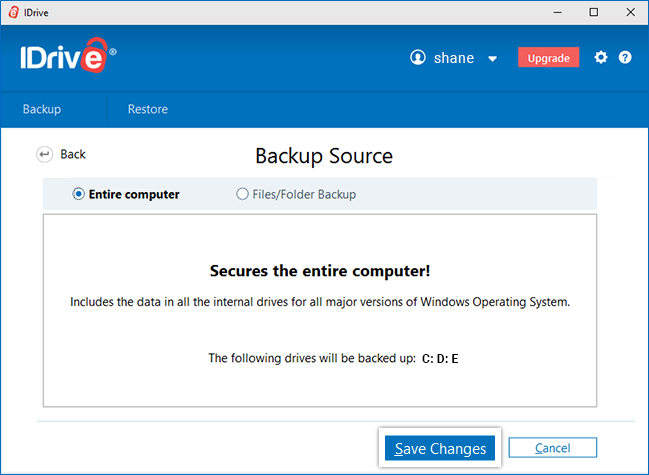
IDrive can protect files and folders from multiple Windows PCs, Macs and supported mobile devices within one storage allowance. It also supports local backup to attached storage, helping users build a practical cloud-and-external-drive strategy. Broader IDrive products cover business endpoints, NAS devices, servers and selected cloud applications.
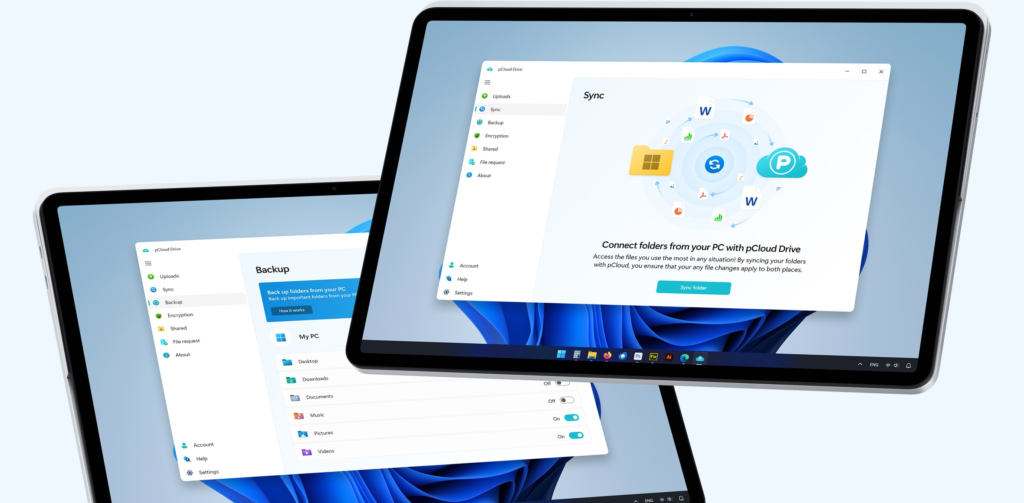
pCloud Backup automatically saves selected computer folders into the pCloud account and reflects changes in real time. This is convenient for documents, photographs and project folders that should remain accessible from other devices. However, pCloud is focused on files rather than reconstructing an entire failed computer.
If your main concern is restoring data after a drive failure, ransomware incident or stolen computer, IDrive supplies the more complete backup toolset. If your priority is keeping a curated library available everywhere, pCloud is simpler and more versatile.
File recovery and version history
IDrive documents retention of up to 30 previous versions of backed-up files for most current accounts. Its Snapshots feature provides a point-in-time view that can help recover data from before unwanted changes or ransomware. True Archiving may also retain cloud files after they are removed locally until the user deliberately deletes or cleans them up.
pCloud provides several recovery routes. Revisions restore earlier versions, Trash recovers deleted items, and Rewind can roll an account or folder back to an earlier state. Paid Personal and Lifetime plans generally include up to 30 days of file history, while Extended File History can increase eligible retention to as much as 365 days for an additional charge.
IDrive offers the stronger backup-oriented recovery model. pCloud’s recovery controls are easy to understand and valuable for everyday mistakes, but buyers wanting long retention must account for the add-on cost.
Syncing, sharing and access
pCloud is the clear winner for working with files. pCloud Drive presents cloud content as a virtual drive, helping reduce local disk usage. Users can synchronise folders, share files through links, access content on the web or mobile devices and stream supported media.
IDrive includes Cloud Drive synchronisation, but sync is a supporting feature alongside its backup products. The interface and product structure focus more heavily on backup sets, schedules, storage usage and recovery.
Choose pCloud if you frequently open, share or stream the same files across several devices. Choose IDrive if those files mostly need to sit safely in the background until a restore is required.
Security and private encryption
Both services encrypt data during transfer and while stored, and both offer an option intended to keep the provider from holding the user’s private decryption key.
IDrive lets customers select a user-defined private encryption key. IDrive says it does not store that private key on its servers. This improves confidentiality, but losing the key can make the backup permanently inaccessible.
pCloud Encryption provides client-side, zero-knowledge encryption for files placed inside its Crypto Folder. It is an optional product for many Personal customers rather than protection automatically applied to every stored file. Users must preserve the Crypto Pass because pCloud cannot recover it.
IDrive’s private-key choice is more naturally integrated into a backup account. pCloud’s Crypto Folder is attractive for a selected set of sensitive documents, but the additional price and folder-specific model should be understood before purchase.
Multiple devices and family use
IDrive Personal is especially strong for a household with several computers. One account can protect multiple PCs, Macs and mobile devices while sharing a large allowance. Each device remains separately identifiable, although the account holder must monitor combined capacity.
pCloud can also be accessed from multiple devices, but its advantage is availability rather than device-by-device backup administration. Family plans provide separate spaces for members, while ordinary Personal accounts are better treated as one person’s cloud storage.
For protecting several family computers, IDrive is usually the better choice. For sharing storage capacity with distinct personal spaces and accessing files everywhere, compare pCloud Family with the household’s exact needs.
Large backups and restores
IDrive Express can use a physical storage device for eligible initial backups or large restores. This can save days of internet transfer when several terabytes are involved, subject to the current plan, country, shipping and usage terms.
pCloud transfers are internet-based. Its virtual drive reduces the need to download everything for normal use, but a full multi-terabyte recovery still depends on the available connection and restore method.
IDrive therefore has the advantage for disaster recovery from a very large data set. pCloud is better suited to selective access, downloading what is needed, and keeping frequently used files available across devices.
Ease of use
pCloud feels more like an everyday cloud drive. Its storage, sharing and media features are approachable, although users still need to understand the differences between Sync, Backup, offline access and the Crypto Folder.
IDrive exposes more backup controls. Users configure backup sets, schedules, local destinations, devices, private encryption and recovery options. This flexibility can initially feel busier than pCloud, but the controls are appropriate for a dedicated backup service.
pCloud wins for day-to-day simplicity. IDrive requires more setup but provides greater recovery depth.
Which should you choose?
Choose IDrive if:
- you need to back up several computers and mobile devices;
- you want cloud and local backup in the same application;
- snapshots and previous file versions are important;
- you may need a physical-drive transfer for a large backup or restore;
- traditional backup matters more than file sharing.
Choose pCloud if:
- you want cloud storage, syncing and sharing in one service;
- a Lifetime payment is more appealing than recurring fees;
- you use Windows, macOS, Linux and mobile devices;
- you want a virtual cloud drive that saves local disk space;
- you mainly need to protect selected folders rather than an entire computer.
Final verdict
IDrive is our winner for backup; pCloud is our winner for cloud storage. IDrive is the safer recommendation when the main objective is recovering data from several devices after deletion, damage, theft or ransomware. Its local-backup support, versioning, snapshots and Express transfers give it a more complete recovery toolkit.
pCloud is the more attractive choice for people who actively use their cloud files. Its virtual drive, sharing, cross-platform apps and Lifetime plans make it flexible and convenient. The backup feature adds protection for selected folders, but it should not be mistaken for full-system recovery.
Some users may reasonably use both: IDrive as the dedicated backup layer and pCloud for active storage, syncing and sharing. Whichever product you choose, maintain another independent copy of irreplaceable data and test restores before an emergency.
Compare your options
Read our IDrive review Check IDrive plans ↗
Read our pCloud review Check pCloud plans ↗
Frequently asked questions
Is IDrive better than pCloud?
IDrive is better for traditional multi-device backup, local backup and disaster recovery. pCloud is better for storing, syncing, sharing and accessing files in everyday use.
Can pCloud replace IDrive?
pCloud can protect selected folders and recover earlier file states, but it does not reproduce every IDrive capability. Users needing broad scheduled backup, local backup, entire-machine tools or physical-drive recovery should prefer IDrive or another dedicated backup service.
Which service is better for several computers?
IDrive is generally better for backing up several computers because one Personal account can protect multiple devices within a shared allowance. pCloud is useful when those devices mainly need access to the same stored or synchronised files.
Does pCloud really offer lifetime storage?
pCloud sells Lifetime plans for a one-time payment. Buyers should understand that “lifetime” is governed by the provider’s current terms and represents long-term access to the service rather than ownership of storage infrastructure.
Which is better for privacy?
Both provide private-encryption choices with important trade-offs. IDrive offers a user-defined private key for backup data. pCloud Encryption provides a zero-knowledge Crypto Folder, typically as an optional purchase. In either case, losing the private credential can make data unrecoverable.
Can I use IDrive and pCloud together?
Yes. A sensible arrangement is to use pCloud for active storage, syncing and sharing while using IDrive for scheduled backups and recovery. This still does not remove the need for a separate local copy of critical data.
Official sources
- IDrive pricing
- IDrive backup features
- IDrive Snapshots
- IDrive security FAQ
- pCloud plans and pricing
- pCloud Backup
- pCloud file recovery and history
Details checked 20 October 2026. Promotions, plan capacities and feature terms can change. Some links are affiliate links; we may earn a commission at no extra cost to you.