Carbonite vs CrashPlan: Personal or Business Backup?
Carbonite targets personal computer backup while CrashPlan focuses on managed business endpoints. See which service fits your devices and recovery needs.

Carbonite is the better choice for a household backing up one Windows PC or Mac. CrashPlan is the better choice for a small business that needs centrally managed endpoint backup, Linux support and more detailed retention controls. They are both unlimited services, but they target different customers.
Carbonite Safe Personal is sold per computer and organised into Basic, Plus and Prime tiers. CrashPlan’s current endpoint service is priced per user and is designed around employee computers, administration and business recovery. Comparing only the word “unlimited” misses the operational difference.
Carbonite vs CrashPlan: quick verdict
| Category | Carbonite Safe Personal | CrashPlan |
|---|---|---|
| Best for | One home computer | Small-business employee endpoints |
| Storage | Unlimited for one licensed computer | Unlimited endpoint backup, subject to service terms and fair-use controls |
| Platforms | Windows and macOS | Windows, macOS and Linux support |
| Administration | Consumer account management | Central management and retention controls |
| External drives | Requires Plus or Prime | Coverage depends on the endpoint configuration and plan rules |
| Security role | Automatic personal file backup | Business endpoint resilience and recovery |
| Price shape | Annual tiers per computer | Per-user subscription |
| Our winner | Best for personal use | Best for a managed small business |
Who each service is designed for
Carbonite Safe is deliberately consumer-friendly. A person installs it on one computer, selects the appropriate tier and lets backup run automatically. There is no need to design user groups or centrally manage a fleet.
CrashPlan treats the computer as a managed endpoint. Its appeal is strongest when a business owner or administrator needs consistent protection across employee devices, including Linux systems. Retention and device oversight matter more than consumer extras.
Pricing compared
Carbonite’s normal annual Personal prices are $95.99 for Basic, $131.99 for Plus and $161.99 for Prime. Each plan covers one computer. Plus adds external-drive and automatic video backup, while Prime adds eligible courier recovery. Temporary discounts often reduce the first payment.
CrashPlan pricing displayed for the reviewed plan was $88 per user for one year or $158 per user for two years. Business costs therefore scale with the number of protected users. Confirm the current plan because CrashPlan has changed its product structure over time.
| Organisation | Likely better fit | Why |
|---|---|---|
| One home PC | Carbonite | Consumer workflow and personal pricing |
| Five employee laptops | CrashPlan | Central endpoint management |
| Linux workstation | CrashPlan | Linux support is a distinguishing feature |
| Home PC plus external drive | Carbonite Plus or an alternative | External-drive coverage requires the correct tier |
| Server or Microsoft 365 workloads | Neither automatically | Choose a product specifically covering those workloads |
Backup coverage
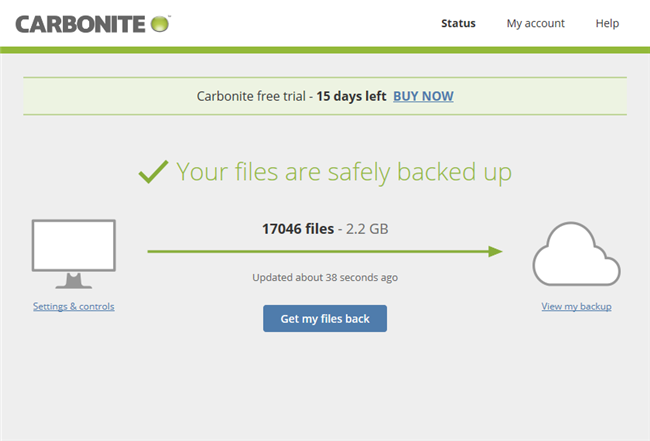
Carbonite Basic focuses on files stored on one computer. Buyers with external disks or large video collections need to check the Plus and Prime feature lists carefully. Carbonite is not a full disk-imaging product and should not be expected to rebuild an operating system and applications.
CrashPlan protects user files on managed endpoints and offers flexible selection and exclusion rules. It is not the same as a server-backup platform, disaster-recovery appliance or SaaS backup for Microsoft 365. A business should map every important workload before assuming endpoint coverage is complete.
Retention and versioning
Carbonite retains versions according to its published retention policy, which varies with file age and platform. The service should be treated as ongoing computer backup rather than permanent archival storage.
CrashPlan’s detailed retention controls are a major reason businesses consider it. Administrators can define how frequently versions are kept over time and how deleted data is handled, subject to the current product rules. This provides more policy control but also creates responsibility: an overly aggressive policy can remove the versions needed during recovery.
Administration and reporting
Carbonite Personal is managed like a consumer subscription. That is convenient for one machine but becomes inefficient when several employees need consistent settings and status monitoring.
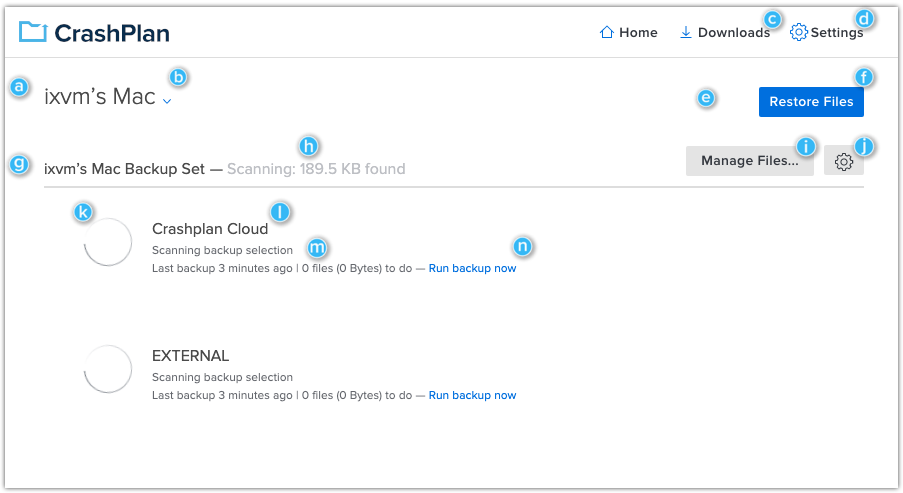
CrashPlan is designed for an administrator to oversee endpoints. Central visibility makes it easier to identify a laptop that has stopped backing up, apply settings consistently and manage employee departures. For a small company, those controls may be more valuable than a lower consumer price.
Restore options
Carbonite supports online restores, with courier recovery offered on an eligible Prime plan. This can be helpful for a home user facing a large recovery over slow broadband.
CrashPlan focuses on restoring files from its endpoint backup through the client and administrative environment. The business should test both a small self-service restore and a larger recovery. Unlimited capacity does not guarantee a fast recovery if the internet connection or endpoint cannot transfer data quickly.
Security
Both services encrypt backup data and provide account-security controls. A business should enforce multi-factor authentication where available, restrict administrator access and document offboarding. Consumer customers should also protect the email account used for password recovery.
Neither provider should be the only defence against ransomware. Maintain separated copies, monitor backup failures and practise restoring known-good versions.
Which should you choose?
Choose Carbonite if:
- you are protecting one personal Windows PC or Mac;
- you want a familiar automatic consumer service;
- the selected tier covers your external drives and videos;
- central employee administration is unnecessary.
Choose CrashPlan if:
- you manage employee laptops for a small business;
- Linux support is required;
- retention controls and central reporting matter;
- per-user pricing fits the organisation.
Final verdict
This comparison has two winners because the audiences are different. Carbonite is the sensible candidate for an individual who wants automatic unlimited backup of one computer. CrashPlan is substantially better suited to a company that needs managed endpoints and policy control.
Read our complete Carbonite review and CrashPlan review. Businesses should also compare the broader options in our small-business cloud backup guide.
Frequently asked questions
Can an individual buy CrashPlan?
The current product is positioned for endpoint and small-business use. An individual can assess the plan, but a consumer-focused service is normally simpler and better aligned.
Does Carbonite support Linux?
Carbonite Safe Personal is for Windows and macOS. CrashPlan’s Linux support is one of its important business advantages.
Which has better retention controls?
CrashPlan offers the more detailed administrative retention model. Carbonite applies its published consumer version-retention policy.
Are servers included?
Do not assume so. Carbonite Personal and CrashPlan endpoint backup are not general server-backup licences. Check the exact workload and product before purchase.
Sources
Details checked 23 September 2026. Verify current pricing, platform support and retention before purchase.